

5 Commands that work in Windows and Ubuntu 9.04
Till now, I have spent a lot of time compiling the differences between Windows and Ubuntu and have posted a number of articles related to that. The last 2 weeks, I have been exclusively using Ubuntu and therefore came across some commands that work similar in both Windows and Ubuntu 9.04. These commands are all keyboard operated. Here are 5 of them:
1. Alt+tab.
This command gives the option of switching between opened browsers of programs. If you want to switch over to some other running program but do not want to use the mouse to attain fastness, you can press this command. This commands work both in Windows and Ubuntu.
2. Shift+del.
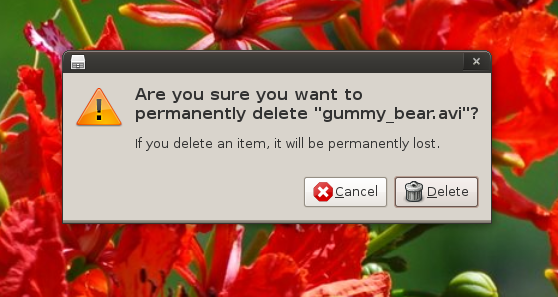
Almost everybody knows how to permanently delete items from his/her computer. This command does not send the items in “recycle bin” or “trash” of Windows and Ubuntu respectively. This command asks you once whether you want to permanently delete the item and then removes it permanently from your computer hard disk.
3. Backspace
If you are browsing the folders, you will be able to use the “backspace” command both in Windows and Ubuntu for the same effect. For internet browsers like Mozilla and Opera, you won’t be able to get the back page if you are using Ubuntu.
4. Properties
If you press the “properties” button of your keyboard after selecting any folder or file in your system, you will get the list of properties of that item. This can also be achieved by right clicking the mouse after selecting the item. This command works well in both OS–Windows and Ubuntu.
5. F5
If you want to refresh the page or your desktop, F5 is the command that you can use. This command work well in both Windows and Ubuntu.
You will likely find quite a few commands that are the same, or work in a similar way. Also, if you’re really that into some Windows commands, you could add shortcuts to your keyboard quite easily.
Kudos on runing Ubuntu exclusively!
Backspace in firefox:
http://kb.mozillazine.org/Browser.backspace_action
Your readers might also be interested to know that under Linux you can modify a number of these shortcuts using either gconf-editor for gnome (the builtin keyboard shortcut app doesn’t work very well) or CCSM for compiz. Im sure there is an eqivalent for kde but I don’t know what it is.
I often change my keyboard shortcuts and add new ones so my Linux system has the same bindings as my windows system at work. This also allows me to actually use the windows/super key.
Alt-F2 > Super-R #show run dialog
Ctrl-Alt-D > Super-M #minimize all windows
Super-T #launch terminal
Super-E #launch nautilus
Super-F #launch file search dialog
Being able to change and add new shortcuts is one of the things I like most about compiz. Gnome/metacity has the same functionality but its more difficult to assign the bindings.
To enable Backspace in Firefox in Ubuntu, go into about:config in Firefox and find browser.backspace_action and set it to 0